
View Categories

How to Add/Edit Hive Clients

Table of Contents

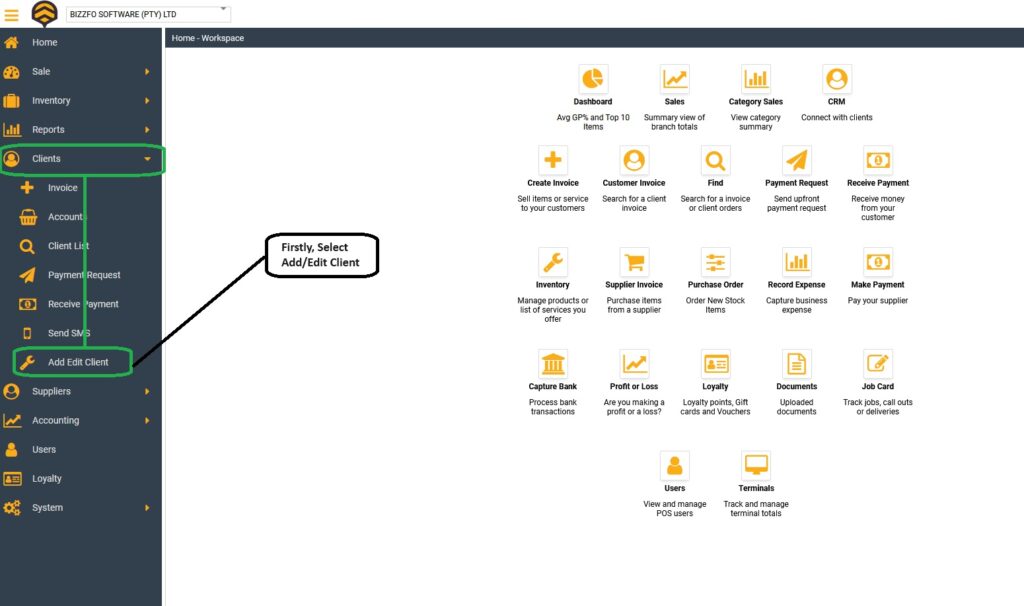
From your Hive Dashboard, Navigate to “Clients” then select “Add/Edit Clients”:
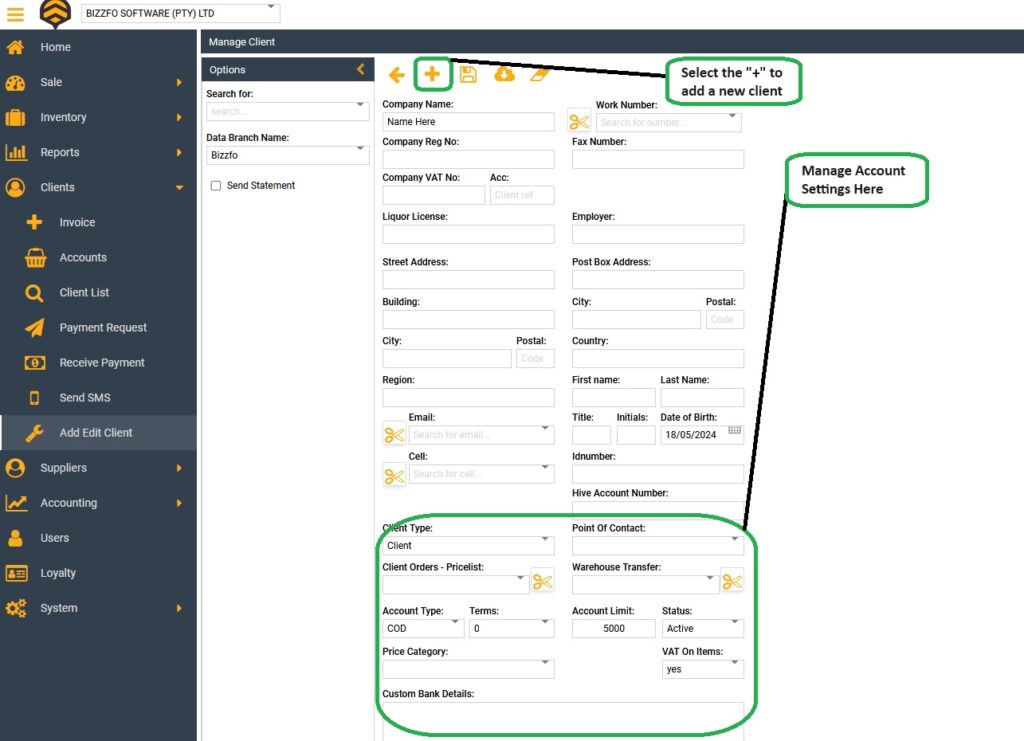
Now we can begin to setup our client and capture their details:
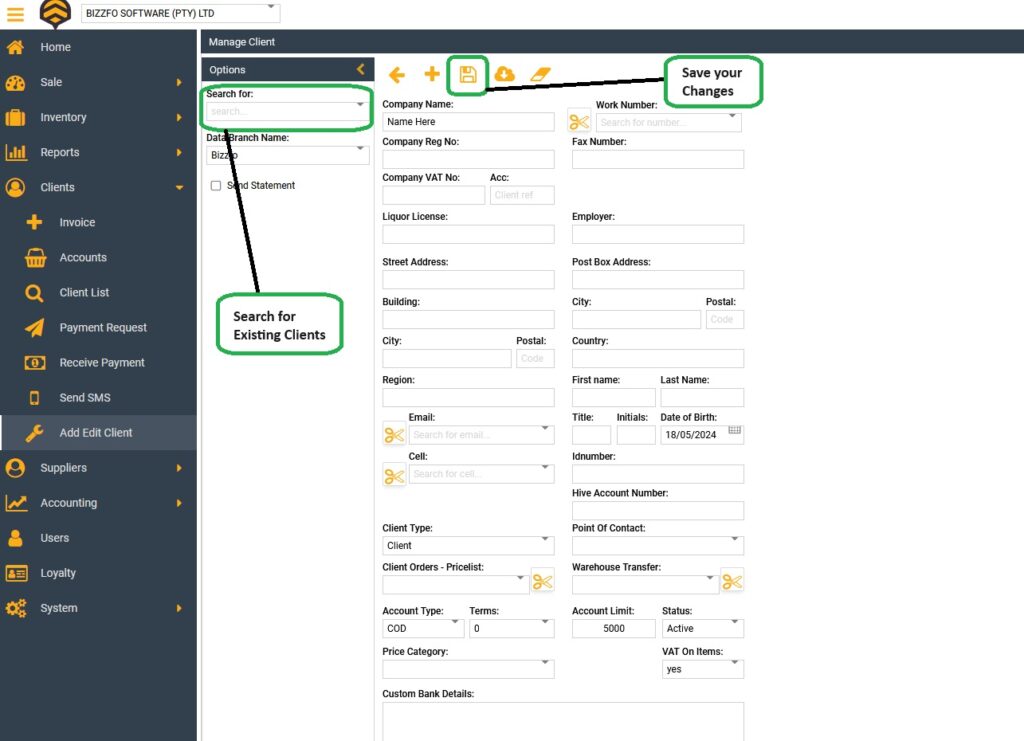
When finished, you can simply select the Save Icon and you are all set! To edit an existing user, you simply search in the “Search for” tab.
Leave a Reply #

Your email address will not be published. Required fields are marked *


Leave a Reply

Limited Holiday Deal 25% OFF Onboarding

Upgrade your business now with a system that’s Cloud-Based, Fast, and Fully Mobile-Ready.

Fill in your details below and we’ll contact you to activate your discount.