
View Categories

How to make a Backup from your App

Firstly, navigate to your settings panel by selecting the three dots in the top left corner of your screen.

Then, select “Backup POS Database”.
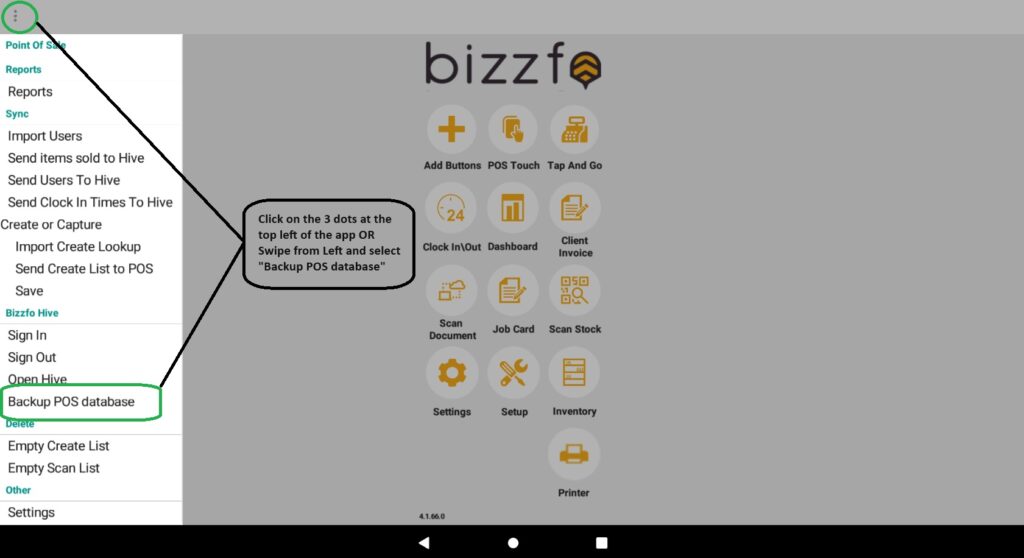
The backup will then be made and posted to the Hive account that is currently signed in on the device.

Leave a Reply #

Your email address will not be published. Required fields are marked *


Leave a Reply

Limited Holiday Deal 25% OFF Onboarding

Upgrade your business now with a system that’s Cloud-Based, Fast, and Fully Mobile-Ready.

Fill in your details below and we’ll contact you to activate your discount.