
Table of Contents
There are two options #
- Payout as per normal with a fixed supplier where the description is the waiter name
- Use the staff payouts
Option 1. Normal Payout #
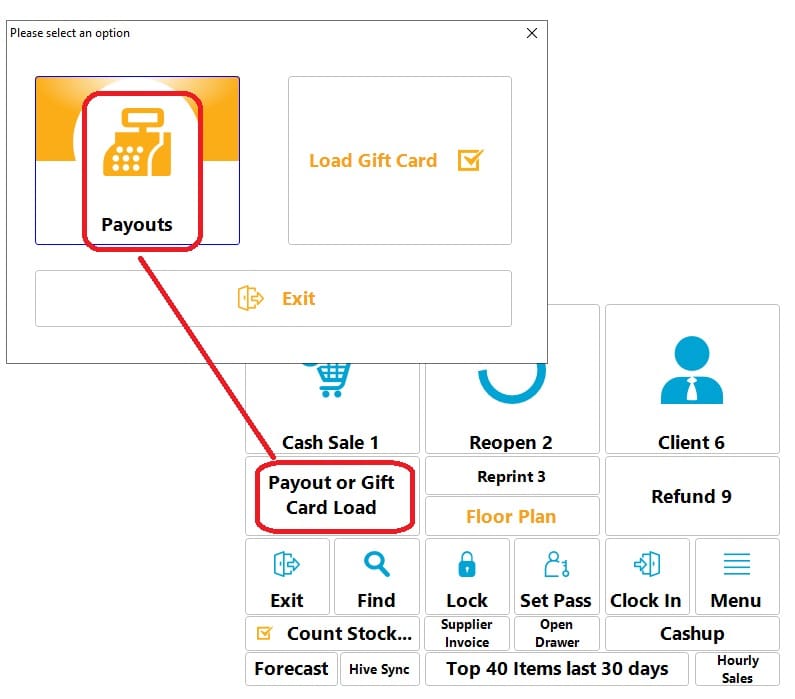
Select payout on the main screen. Note this method defaults to cash only. Other tenders can not be set.
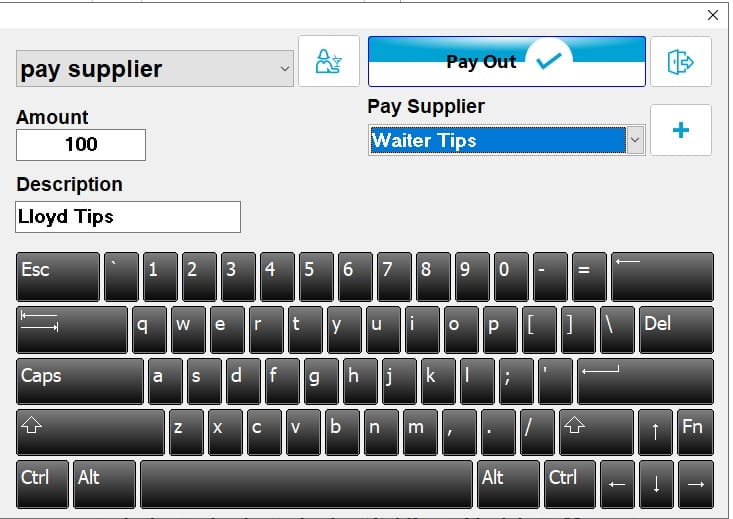
Now create supplier, or select existing one. And enter description. Could be waiter name.
Option 2. Normal Payout #
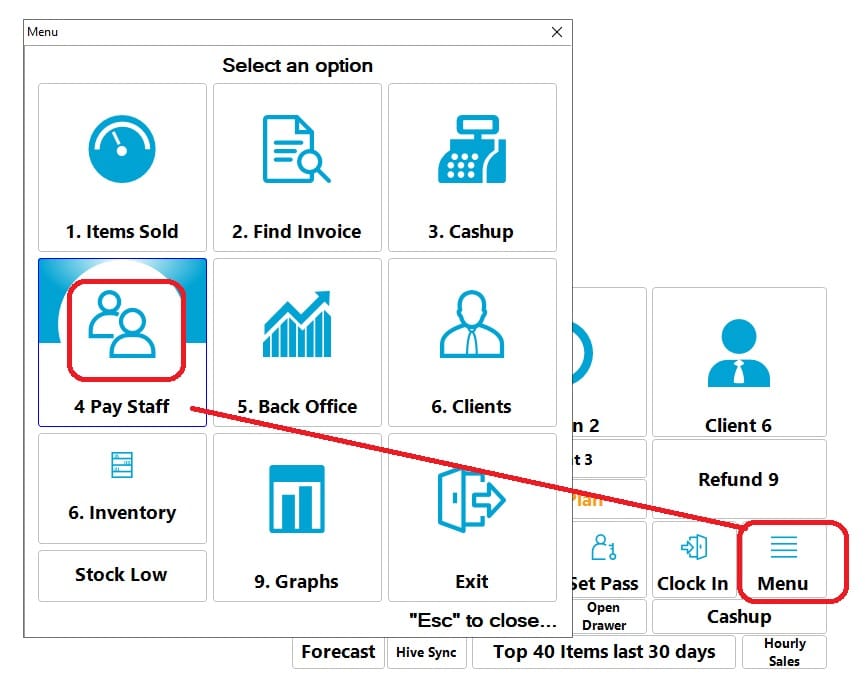
Open submenu and select staff payout.
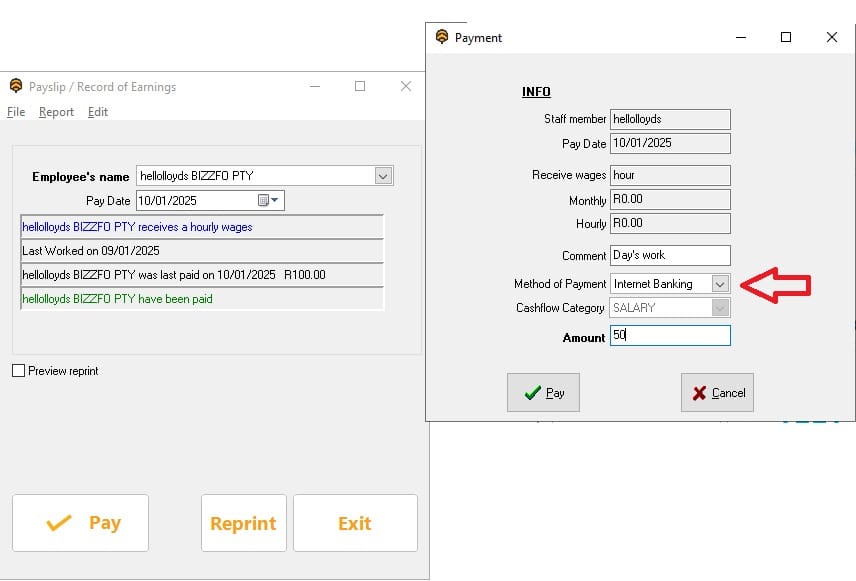
Next, follow the screen prompts and complete the payment.
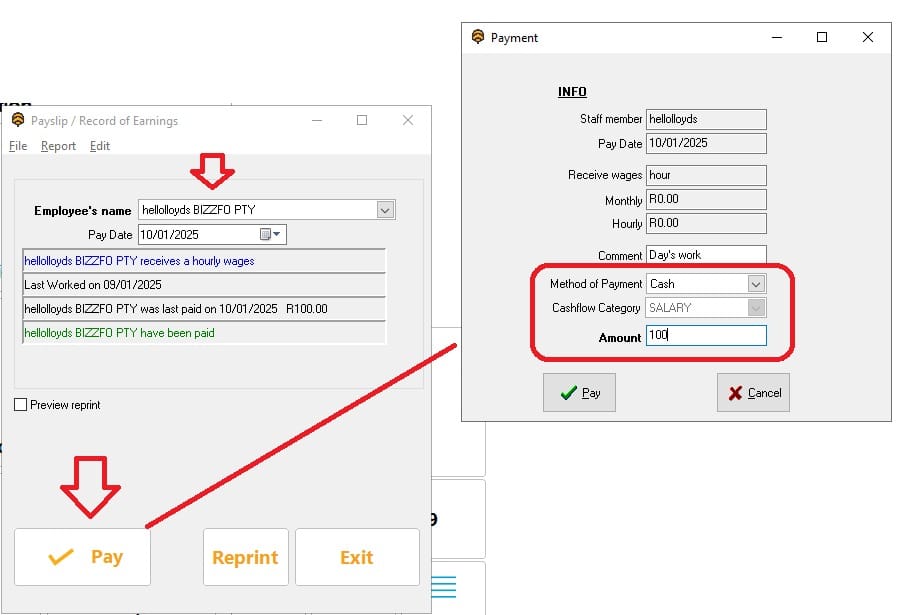
Important, the tender type must be set correctly. Thus if you payed Cash, then set to cash.
Example – Bank transfer
Here is the result seen in the cash up screen


